Automation
The Safe AI Framework: How Small Businesses Automate Daily Tasks Without Costly Mistakes

Ajay Singhadiya, Founder, OperateAI
10 min readUpdated
On this page · 6 sections
Safe AI automation for a small business pairs a language model with two things it cannot provide on its own: deterministic rules and a human checkpoint. The AI drafts the work (reads the invoice, scores the lead, writes the reply). Plain code verifies the numbers. A confidence score decides what runs unattended. A person approves anything that moves money, edits a record, or reaches a customer, with one tap in Slack or Telegram. Routine work runs itself. Risky work waits for you.

The Fear Every Owner Has About AI
Think of an AI model as a very bright intern who started on Monday. Fast, well-read, confident, happy to answer anything. You would not let that intern send client invoices or reply to an angry customer in week one without someone checking. Not because they are bad. Because confidence and correctness are two different things.
Most owners already know this. In Bluevine's 2026 Business Owner Success Survey of 942 U.S. small businesses (2–249 employees), only 22% were completely confident AI could handle low-level tasks without human supervision. 31% named distrust of AI accuracy as a barrier, and 33% named data security.
That instinct is correct. The wrong conclusion is "so we cannot use it." The right one is "so we supervise it like the intern": clear rules, a second pair of eyes on anything important, and a paper trail.
What a Silent Failure Is and Why It Happens
A silent failure is when an automation completes every step, raises no error, and hands you an output that looks valid but is wrong. No red light, no crash, no alert. The workflow reports success. You find out later, from a vendor, a customer, or your accountant.
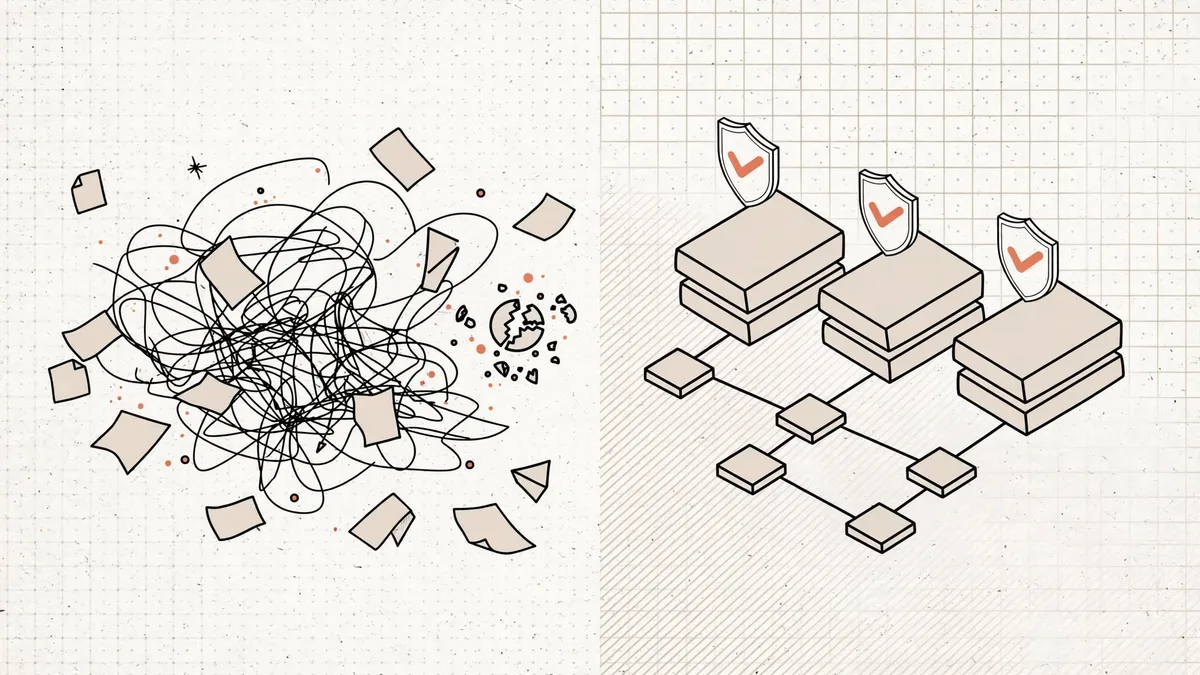
Three examples from real SMB pipelines:
- The invoice that adds up wrong. The AI reads a supplier PDF, gets the line items right, and mistypes the GST total by one digit. The number is plausible, so it gets paid.
- The lead that scored 9 out of 10. The scraper hit a cached "about us" page from 2023. Sales called a company that no longer exists in that form.
- The refund policy you never wrote. A support bot promises a 30-day return window because most stores offer one. Yours is 7 days. Air Canada lost a 2024 tribunal case on exactly this.
Why does it happen? Partly the model. On Vectara's hallucination leaderboard (May 2026), which asks models to summarize a document using only its own facts, the best model still adds something unsupported 1.8% of the time, and big names like GPT-5.4, Gemini 2.5 Pro and Claude Opus 4.6 land between 7% and 12%. Chains make it worse. If each step is right 95% of the time, five steps in a row are right only 77% of the time. One wrong value at step two quietly corrupts everything after it. The chain is the problem, so the fix sits in the chain.
The 3 Guardrails of an Automation You Can Trust
Guardrails catch a wrong value at the step where it happens, before the next step builds on it. You do not need enterprise MLOps. You need three things in the right order.
Guardrail 1: Code Checks Before AI Touches Anything
Anything with a right answer gets checked by plain code, not the model. Math, dates, duplicates, required fields, ID formats. Code is deterministic (same input, same output, every time), so it never has an off day.
In n8n this is one Code node between the AI step and everything downstream:
// Recompute the total; the AI's number never becomes the truth on its own
for (const item of $input.all()) {
  const lines = item.json.line_items || [];
  const computed = lines.reduce((sum, l) => sum + l.qty * l.unit_price, 0);
  const diff = Math.abs(computed - item.json.ai_total);
  item.json.math_ok = diff < 1; // rupee-level tolerance
  item.json.math_diff = diff;
}
return $input.all();
If math_ok is false, the item never reaches the payment step. It goes to a person with the diff attached. The full "deterministic shell" pattern, including JSON schema enforcement, is in why 90% of B2B AI automations break in month 2.
Guardrail 2: Confidence Threshold Routing
Ask the model for a confidence score in its output. Not a vibe, a number in the JSON: "confidence": 0–100, plus one line of reasoning. A Switch node routes on it.
| Confidence | What happens | Typical share |
|---|---|---|
| 90–100 | Runs straight through | 70–90% of items |
| 70–89 | Goes to a review queue | 10–25% |
| Under 70 | Stops. Human handles it from scratch | 1–5% |
Treat the shares in the right column as a starting expectation, not a benchmark: log your own for two weeks and move the thresholds to match. For anything that moves money, raise the auto threshold to 95. A vendor dispute costs more than a two-minute review.
Guardrail 3: The One-Click Approval Button
For actions you cannot undo, the workflow pauses and asks. n8n's Slack and Telegram nodes both ship a native Send and Wait for Response operation. The workflow posts what it wants to do, the key numbers, the AI's reasoning, and two buttons. Approve, and the action runs with exactly those values. Deny, and it cancels, logged. Set a wait limit (2 hours suits most teams) so an ignored request expires instead of hanging forever.
Three categories always get a button, whatever the confidence score:
- Money leaving the business.
- Deleting or overwriting a record.
- Anything a client or customer will read.
Approving takes 5 seconds on your phone. That is the whole cost of human-in-the-loop (a person confirms the step before the machine runs it).
The Workflow, Start to Finish
[Trigger] ──> [AI Draft] ──> [Code Check] ──> [Confidence Router] ──> [Approval] ──> [Execute]
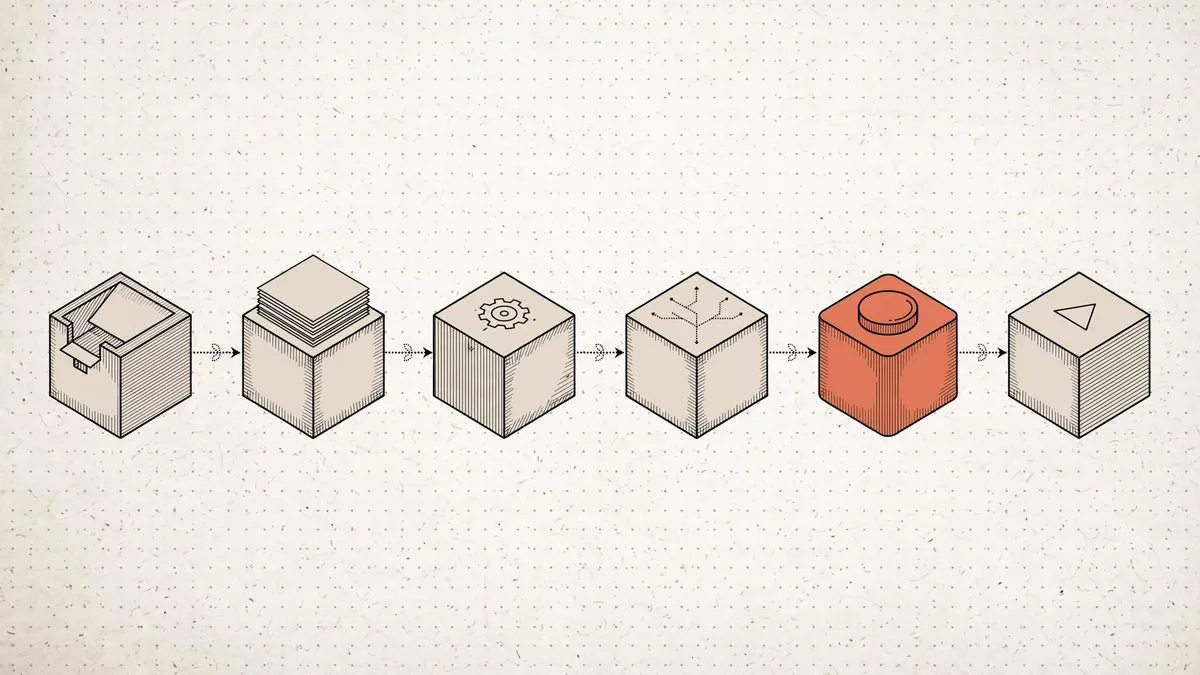
| Stage | n8n node | What it catches |
|---|---|---|
| Trigger | Gmail / Webhook / Form | Logs the raw input first, so a reboot never loses it |
| AI Draft | AI Agent + Structured Output Parser | Turns messy input into strict JSON |
| Code Check | Code node | Wrong totals, duplicates, missing fields, bad dates |
| Confidence Router | Switch node | Uncertain items go to review, not production |
| Approval | Slack / Telegram Send and Wait | Money, deletes, customer-facing sends |
| Execute | HTTP / CRM / Accounting node | Runs only with checked, approved values |
We built exactly this shape for a vendor invoice pipeline: the four guardrails that make invoice data safe to pay from.
What It Costs: Self-Hosted n8n vs Enterprise SaaS
| Option | Monthly cost | Billing model |
|---|---|---|
| Self-hosted n8n (Docker on a $20 VPS) | ~₹1,800 server + LLM API usage | Unlimited runs, no per-step fee |
| n8n Cloud Business | ~$800 (₹67,000) | 40,000 executions included |
| Zapier Team at 80,000 tasks | ~$250–400+ | Per task, every step counts |
The billing model is the trap. Zapier counts every node as a task, so a six-step safe workflow costs six tasks per run. n8n counts the whole run as one execution, and self-hosted counts nothing. Past roughly $200/month of SaaS spend, self-hosting wins on total cost (2026 pricing comparisons). A full pipeline at 10,000 operations a month runs us about ₹5,500 all-in including LLM calls. Line items: 2026 AI automation pricing breakdown.
Three Golden Rules Before You Automate Anything
- AI drafts, code decides, humans approve money. Never let the model be the last step on anything irreversible.
- Log every input before you process it. If the server restarts mid-run, the queue replays. Nothing vanishes.
- Start with one boring, high-volume task. Invoice intake, lead scoring, order-status replies. Prove the guardrails there, then expand.
Want an automation you can trust with real money and real customers? We build n8n workflows with these three guardrails baked in, on your own server, documented and handed over in 1–2 weeks. See n8n consulting or book a free 30-minute AI audit.
FAQ
Q: Is my business data safe if AI is reading invoices and customer messages? Safer than pasting it into a public chatbot. Production workflows call the model through a private API (a paid, direct connection with no-training terms) on a server you control. Nothing sits in a consumer chat history. 33% of owners list data security as their top AI concern (Bluevine 2026), and this setup answers it.
Q: What happens if the server goes down mid-workflow? Every incoming item is saved to a database before processing starts, and receipt is acknowledged in under 100 milliseconds. When the server returns, a replay job re-runs anything unfinished. You lose minutes, not invoices or leads.
Q: Will customers know they are dealing with AI? For the routine 90%, they get a faster, accurate answer and rarely ask. Anything sensitive was approved or written by a human, so it reads like one did. Say "automated assistant" in the first message anyway. Honesty costs nothing and protects you.
Q: How long does it take to build a workflow like this? One process with all three guardrails: 1–2 weeks including testing on your real data. The approval button and confidence router are reused in every workflow after the first, so the second one is faster.
Want help putting this to work?
Book a free 30-minute AI audit. We'll show you exactly what to automate and in what order.
Get Your Automation Plan